
Try the Demo
Try out the checkout flow
Integration Guide
Add to your app
- Cross-chain deposits: Automatic routing between different blockchain networks
- Real-time quotes: Live pricing and gas estimates
- Customizable theming: Full control over appearance and branding
- Transaction tracking: Real-time status updates with block explorer links
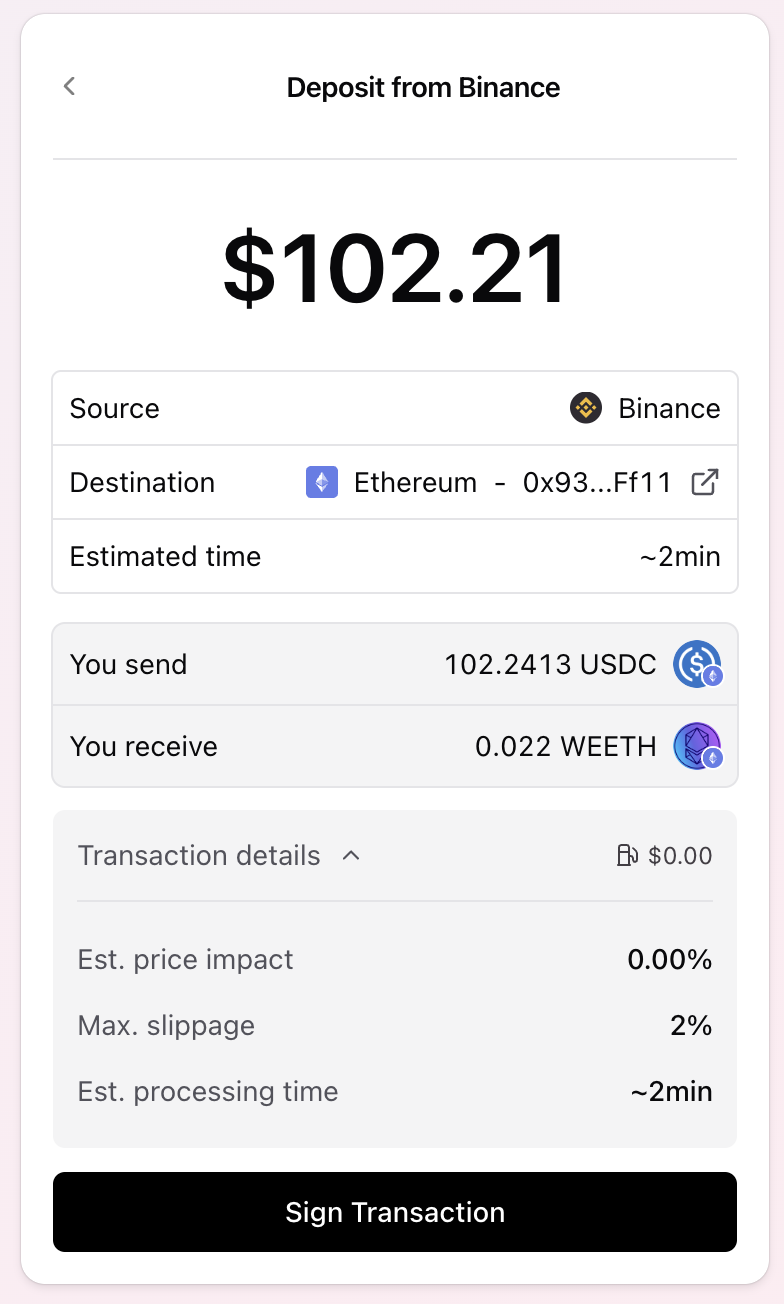
How it Works
The widget connects to the connected wallet and allows user to:- Select token
- Enter amount to spend
- Check quote execution quote and parameters
- Execute operation and track progress including cross-chain execution
Integrate
1
Install the package
Install the widget:
2
API key
You can get an API key from the Developer Portal.
3
Basic implementation
Import and configure the widget.
Any of the tokens or nontokenized positions can be used as
tokenOut- Checkout Modal
- Standalone Checkout
4
Setup Web3 providers
The widget requires Wagmi and React Query providers. Set up your app’s root component:
5
Theme customization
The widget accepts a complete Chakra UI v3
SystemConfig for theming.Configuration Props
CheckoutConfig Properties
The following checkout config exists:CheckoutModalProps
TheCheckoutModal expands CheckoutConfig with modal-related properties and callbacks:
Supported Networks
The widget supports deposits across all networks:- Ethereum (Chain ID: 1)
- Base (Chain ID: 8453)
- Arbitrum (Chain ID: 42161)
- Optimism (Chain ID: 10)
- Polygon (Chain ID: 137)
- Avalanche (Chain ID: 43114)
- BSC (Chain ID: 56)
- And many more
Learn more
Updated